How to Program Your Garage Door Remote: A Comprehensive Guide by Fixo Garage Door Repair
Is your garage door remote not working as it should? Programming it might solve the issue! In this guide by Fixo Garage Door Repair, learn how to easily program your garage door remote and restore seamless access to your garage.
Unlocking Convenience: The Importance of a Functional Garage Door Remote
In today's fast-paced world, convenience is key. A garage door remote allows you to access your garage effortlessly, shielding you from the elements and ensuring your vehicle’s safety. However, if your remote is malfunctioning or has simply lost its programming, it can become a frustrating experience. This comprehensive guide will help residents of Los Angeles, CA, learn how to program their garage door remotes, ensuring they can maintain smooth access to their homes.
Understanding the Basics of Garage Door Remotes
Before diving into programming, it's crucial to understand how garage door remotes function. Most remotes operate using radio frequencies, sending a signal to a receiver connected to your garage door opener. Here are a few key components:
- Remote Control: This handheld device allows you to open and close your garage door from a distance.
- Garage Door Opener: This motorized device opens and closes the garage door when it receives a signal from the remote.
- Receiver: A component attached to the garage door opener that listens for the signal from the remote.
Step-by-Step Guide to Programming Your Garage Door Remote
Programming a garage door remote is generally a straightforward process, but it can vary based on the brand and model of your garage door opener. Let's break down the steps:
Step 1: Gather Necessary Information
Before you begin, make sure you have the following:
- Your garage door opener’s manual (if available)
- Access to the garage door opener unit
- A compatible remote control
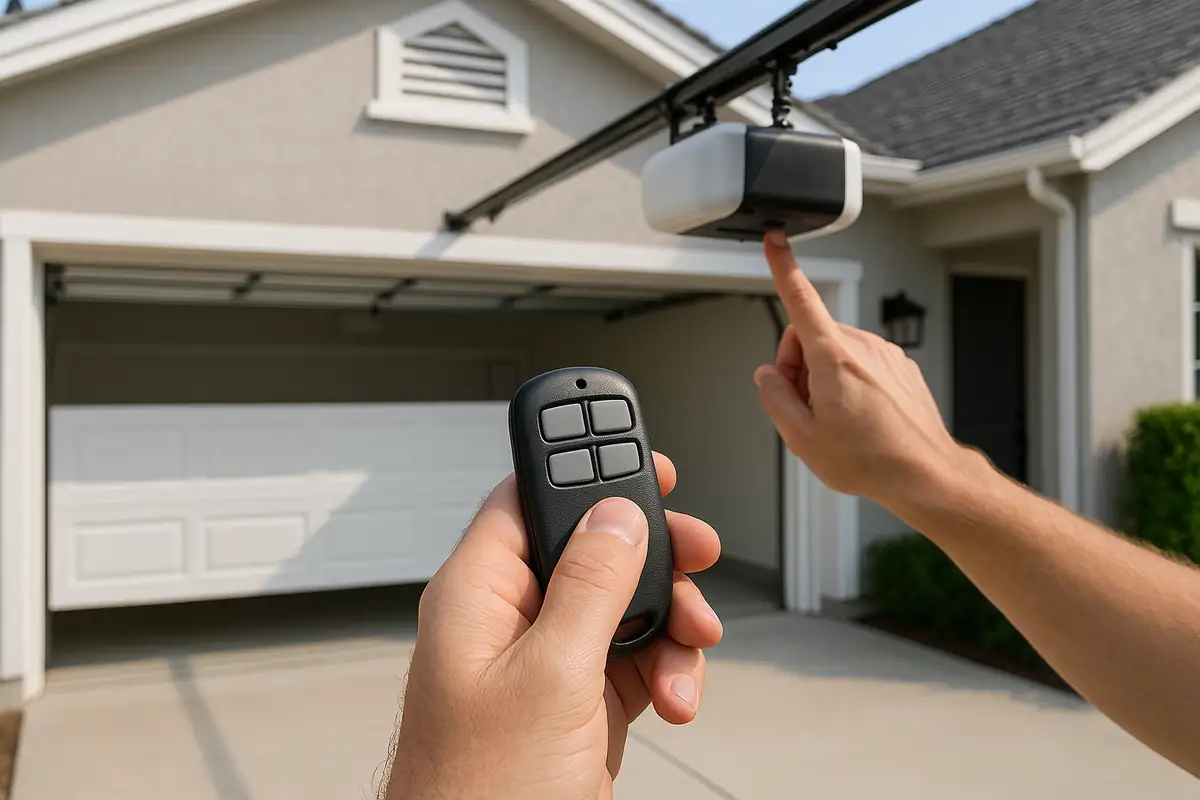
Step 2: Locate the Learn Button
Most garage door openers have a Learn button that you will need to press to initiate the programming:
- Find the Learn button on the garage door opener unit, usually located on the back or side.
- Press and release the Learn button. An indicator light will typically blink to show that the unit is ready to accept a new remote.
Step 3: Program the Remote
Now it’s time to program your remote:
- Within 30 seconds of pressing the Learn button, press and hold the button on your remote that you want to program.
- Hold the button until the garage door opener lights flash or you hear a clicking sound, indicating that the remote has been programmed successfully.
Step 4: Test Your Remote
Once you have programmed your remote, it's essential to test it:
- Stand within range, typically a few feet from the garage door.
- Press the button you just programmed.
- If the garage door opens or closes, you've successfully programmed your remote!
Troubleshooting Common Issues
Even after following the steps above, you might encounter some issues. Here’s how to troubleshoot:
Remote Not Working
If your remote isn't functioning, check the following:
- Battery: Ensure the battery in your remote is fresh and correctly installed.
- Distance: Make sure you're within range of the garage door opener.
- Interference: Other electronic devices can interfere. Try moving these away from the garage door opener.
Learn Button Not Responding
If the Learn button isn't working, consider:
- Checking the power supply to the garage door opener.
- Performing a reset of your garage door opener.
Statistics: Garage Door Remote Usage
Did you know that:
- According to the International Door Association, over 70% of U.S. households have a garage door, making remote access a common necessity.
- Studies show that nearly 30% of garage door remotes malfunction due to battery issues or programming errors.
Practical Tips for Garage Door Remote Maintenance
To ensure your garage door remote continues to function optimally, consider these practical tips:
- Regular Battery Replacement: Change the batteries at least once a year to avoid unexpected malfunctions.
- Avoid Exposure to Elements: If possible, store your remote in a location protected from extreme temperatures and moisture.
- Keep Away from Other Electronics: Ensure your remote is away from devices that emit strong radio signals to prevent interference.
Conclusion: Keep Your Garage Door Remote Functional with Fixo Garage Door Repair
Programming your garage door remote doesn't have to be a daunting task. By following the steps outlined above, you can regain control of your garage access in no time. If you encounter persistent issues or need professional assistance, Fixo Garage Door Repair in Los Angeles, CA, is here to help! Our skilled technicians are ready to ensure your garage door system operates smoothly. Contact us today to schedule a consultation!
Explore More Resources
Related Articles
Service Areas
We proudly serve Los Angeles, Palms, Culver City, Mar Vista, Sawtelle and more areas.
Our Services
Professional garage door repair, spring repair, opener installation and more. View all services →